Free & Open Source

Teach your kids
a real computer

A real Linux desktop — not a dumbed-down tablet. Kids learn actual computer skills, earn screen time through learning challenges, create games with AI, and stay connected with family. All under your control.

🧮 Math
⌨️ Typing
🎨 Drawing
🎮 Games
📖 Stories
⏱️ Timer
🔢 Calc
🌐 Browser
Challenge complete! +15 min
🎮 New game created
📋 Family bulletin

Tablets don't teach
computer skills.

Kids swipe and tap all day but can't use a keyboard, manage files, or navigate a real desktop. There's a better way.

📱

Tablets are easy — too easy

Walled-garden apps and touch screens don't prepare kids for the real computers they'll use in school and work.

🔒

Full PCs are too risky

An unrestricted computer means YouTube rabbit holes, inappropriate content, and hours lost to mindless browsing.

💡

kbnmouse is the middle ground

A real desktop with real apps — keyboard, mouse, windows, files — but with guardrails that keep kids safe and learning.

A real computer,
real skills

Not a toy. A complete Linux desktop with parental controls, learning challenges, and creative tools — everything kids need to build real computer literacy.

🏆

Learning Challenges

Math problems, typing practice, story writing. Complete challenges to earn bonus screen time minutes.

📋

Family Bulletin Board

A cork-board style shared space. Post notes, announcements, and encouragement. Emoji reactions from the whole family.

💬

Family Messaging

Kids can safely message parents and siblings. Stay connected without needing a phone or social media.

🤖

AI Game Creator

Kids describe a game idea, and AI builds it. A creative outlet that turns imagination into playable 3D games.

⏱️

Smart Time Controls

Per-app daily and weekly limits. Bonus time earned through challenges. Usage auto-tracked and enforced.

👤

Multi-Profile

Each child gets their own isolated space with separate apps, challenges, and time limits. One PC, many kids.
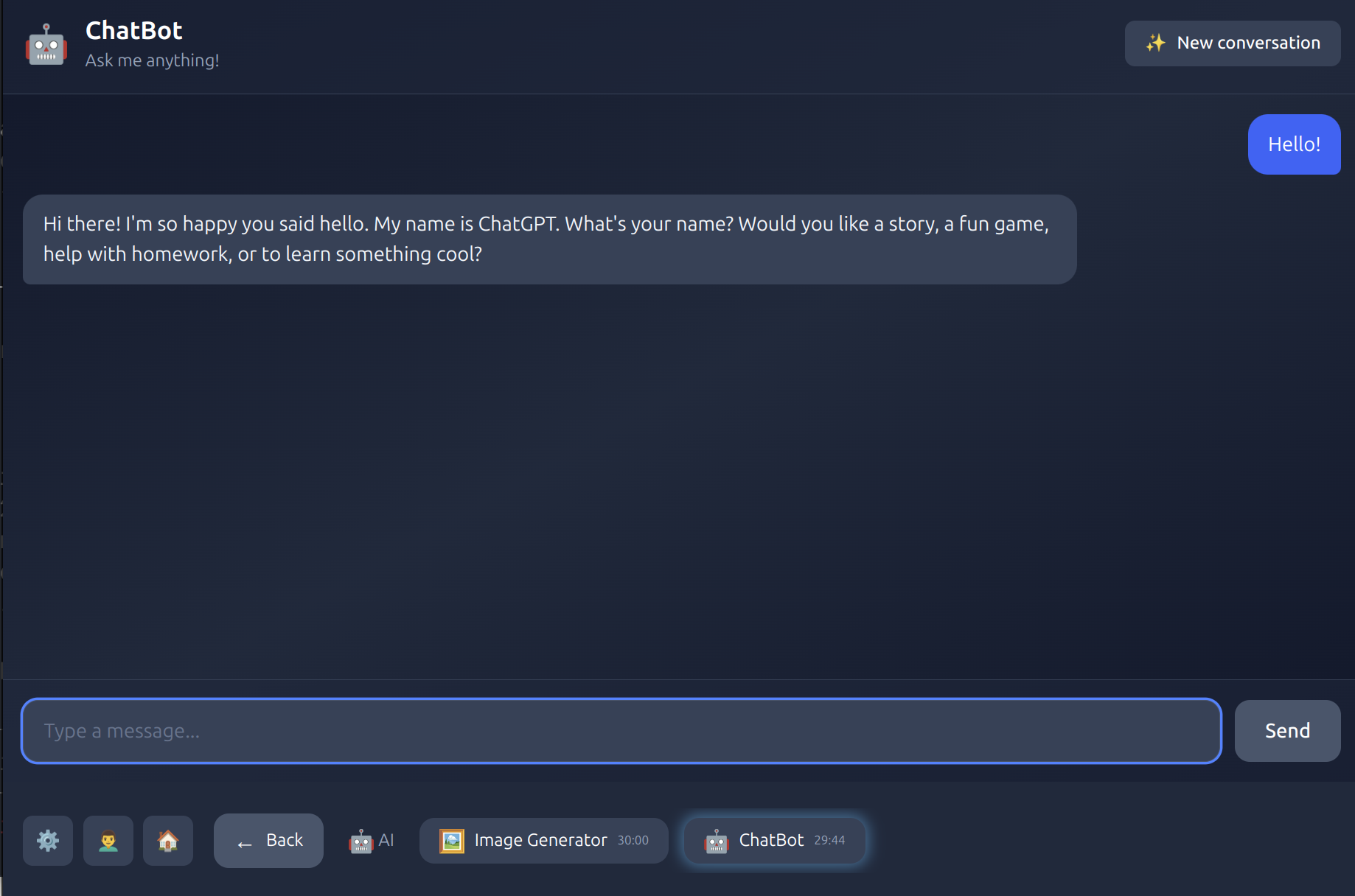
AI ChatBot — kids can chat with a friendly AI assistant for help, stories, and learning

AI ChatBot

A friendly AI assistant that helps with homework, tells stories, and answers curious questions.
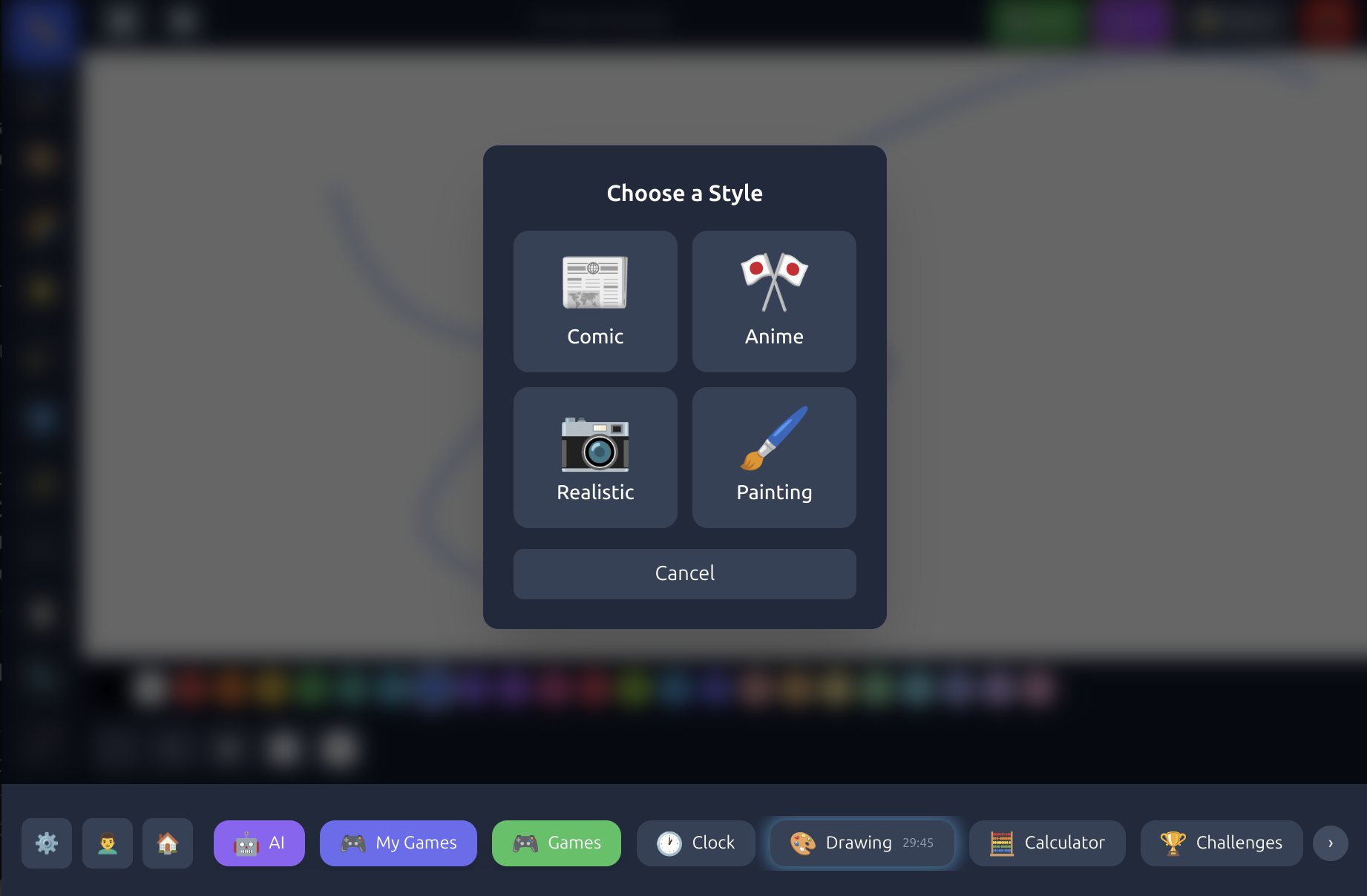
AI Drawing Styles — transform drawings into comic, anime, realistic, or painting styles

AI Drawing Studio

A full KidPix-style canvas with AI-powered style transfer — turn drawings into comics, anime, or paintings.
Screen time that
teaches something

Instead of just limiting minutes, kbnmouse turns screen time into a reward for learning. Kids are motivated because they choose when and what to learn.

1

Pick a challenge

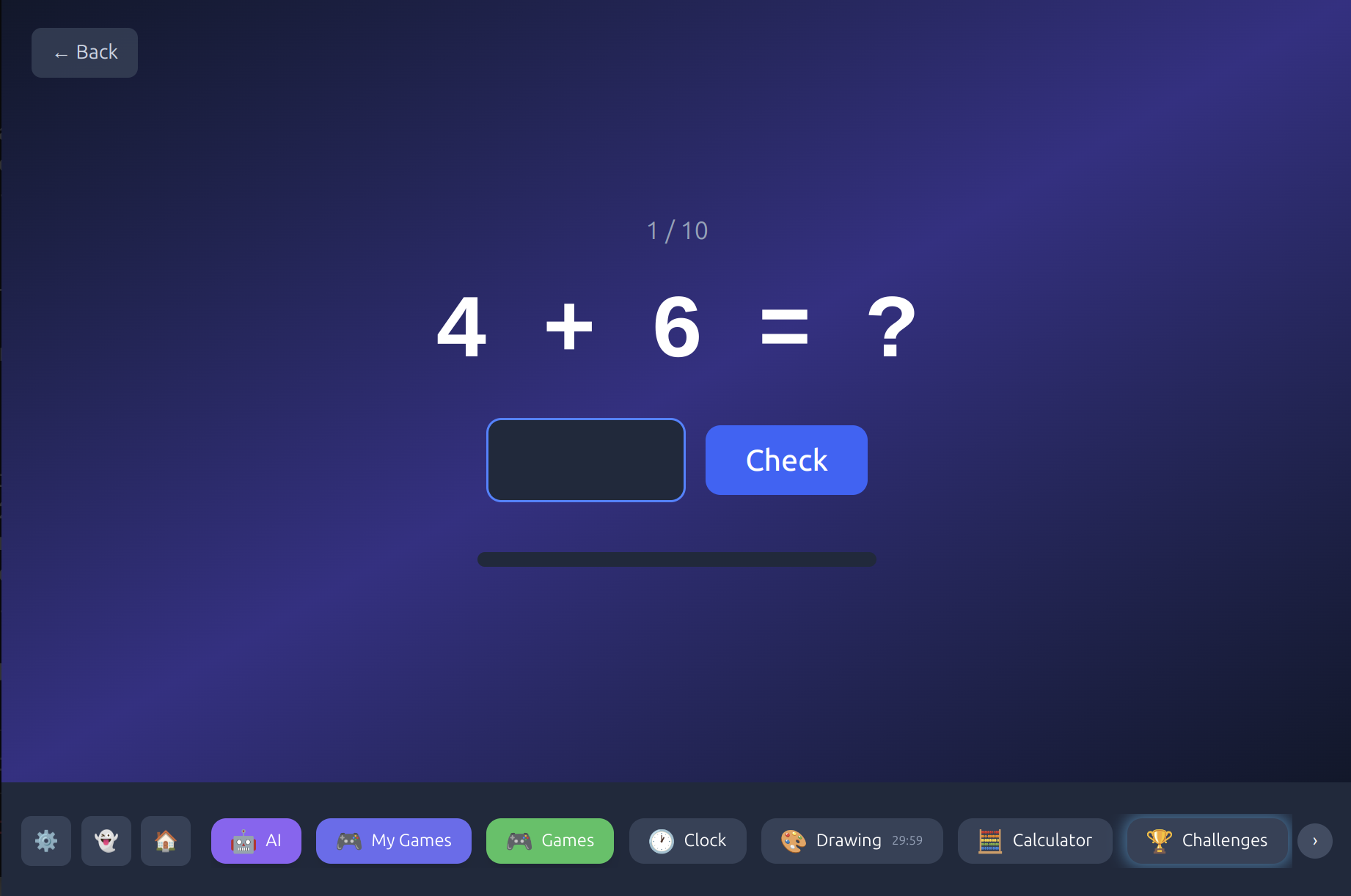
Math problems, typing speed tests, creative story prompts — kids choose what interests them.

2

Complete it

Challenges are age-appropriate and designed to be achievable. No frustration, just learning.

3

Earn bonus time

Each completed challenge adds bonus minutes to their screen time. More learning = more play.

A math challenge in kbnmouse — kids solve addition problems to earn bonus screen time
Mom Pizza night Friday! Who's in? 🍕
❤️ 3   🎉 2
Lily I made a new game! Come try it!!
👏 4
Dad Great job on your math challenges this week, Marcus!
❤️ 2   🌟 1
Marcus Can we go to the park tomorrow?
👍 3
Lily Look at my drawing! 🎨
❤️ 5

A digital
family room

kbnmouse isn't just about restrictions — it's about connection. A shared space where families communicate, celebrate, and stay close.

📌

Bulletin Board

Post-it style notes visible to the whole family. React with emojis.

💬

Safe Messaging

Kids message parents and siblings without needing phones or social media.

📢

Parent Announcements

Pin important messages so every child sees them when they log in.

🌟

Encouragement

Celebrate achievements and milestones as a family.

Full visibility,
total control

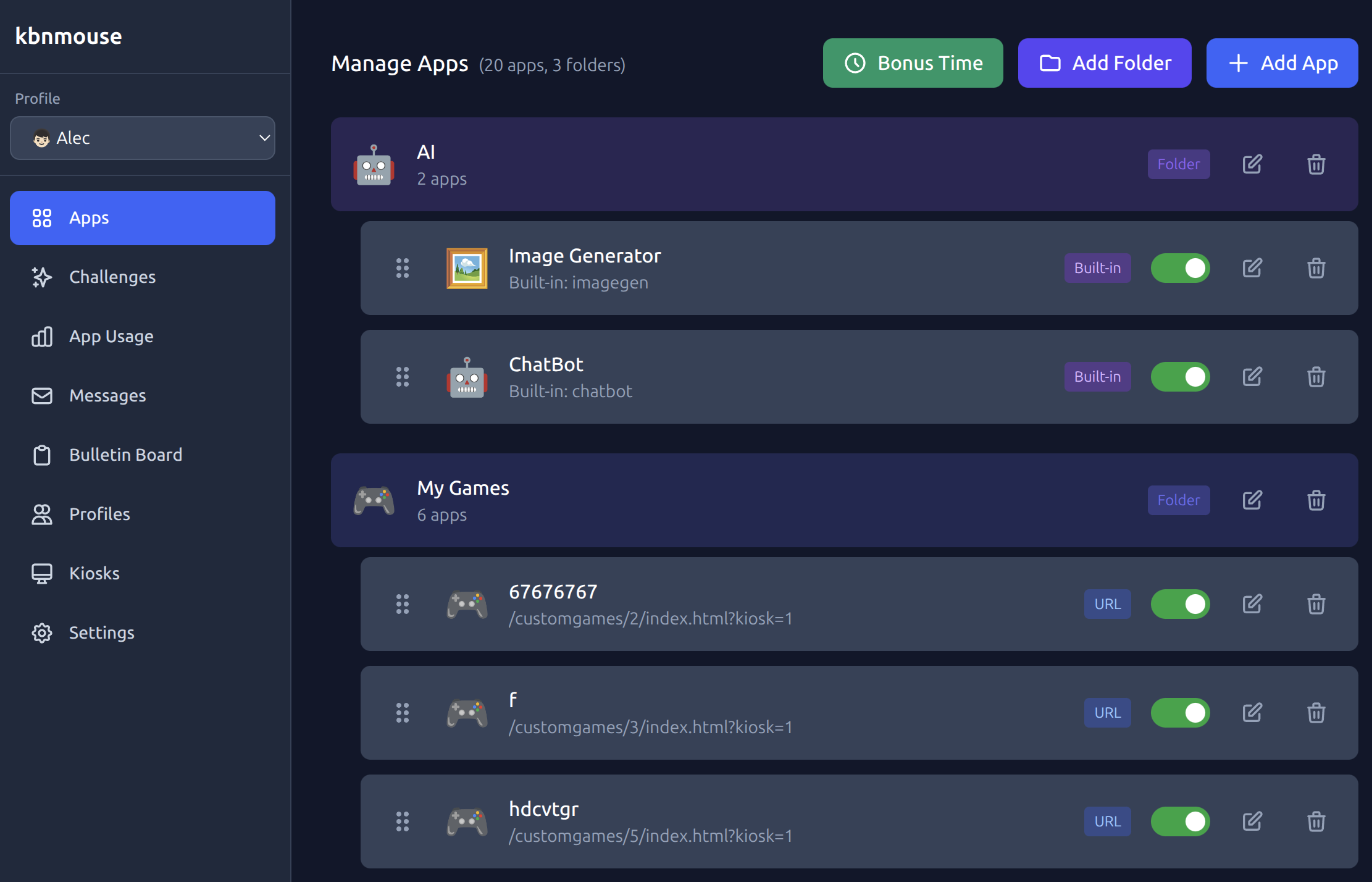
A web-based dashboard accessible from any device on your network. See usage, manage apps, set limits — all in one place.

The kbnmouse parent dashboard — manage apps, set time limits, and monitor usage from any device

Up and running in minutes

kbnmouse runs on any Linux PC. Turn an old laptop or desktop into a real computer your kids can learn on — with keyboard, mouse, and all.

1

Install on Linux

Clone the repo and run the setup script. Works on Ubuntu, Debian, and most Linux distros.

2

Create profiles

Add a profile for each child with their own apps, challenges, and time limits.

3

Kids start learning

Children pick their profile, complete challenges, and earn screen time. You monitor from the dashboard.

Free & Open Source

Your data stays yours.
Forever free.

kbnmouse is free and open source with no subscriptions, no tracking, and no ads. Use our hosted dashboard or self-host everything on your own network — the choice is yours.

Optionally self-hosted
No subscriptions
MIT License
Runs on any Linux PC